

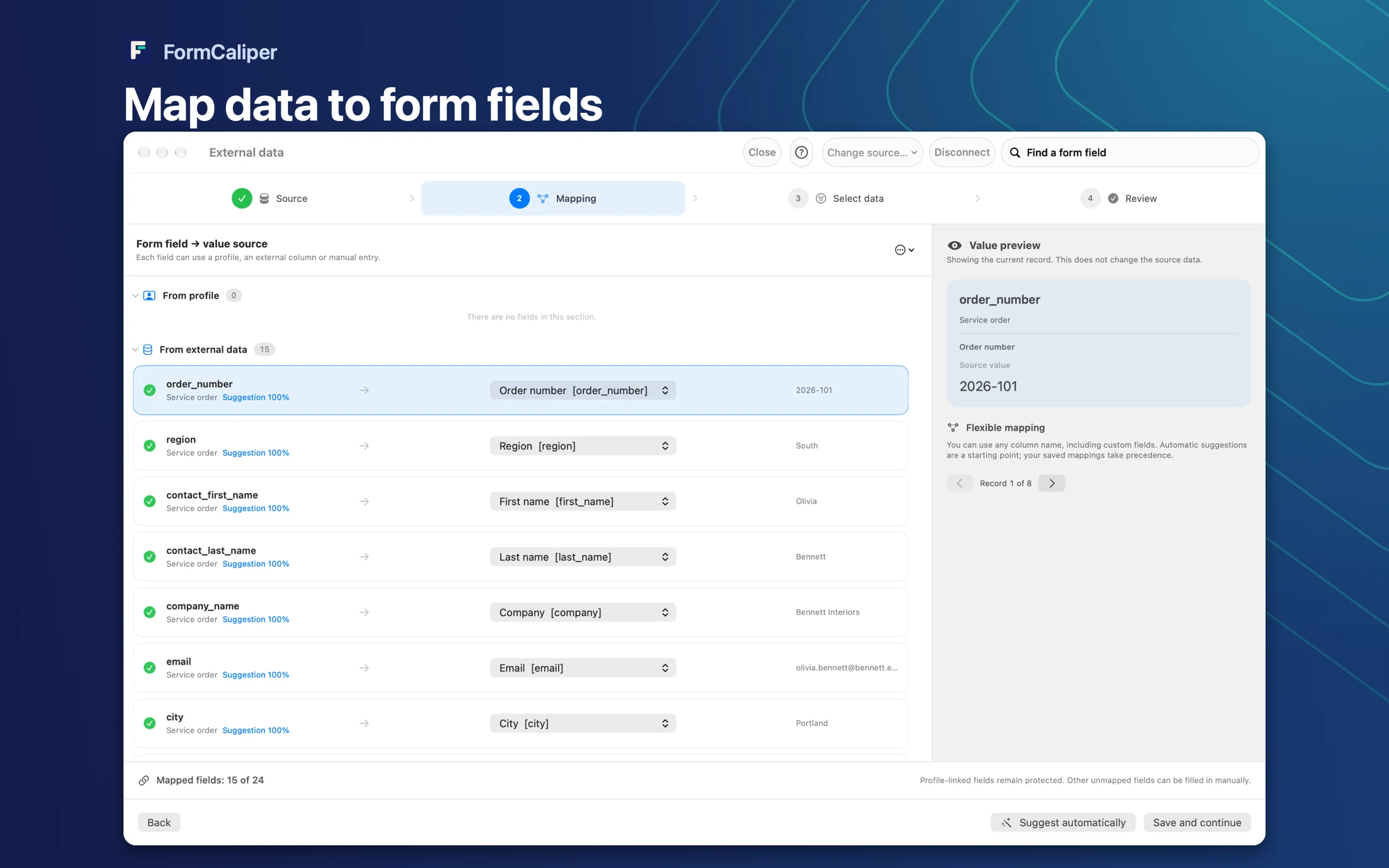
Column names can be different
Map source columns to specific fields. Check suggestions against sample values and leave unnecessary fields unassigned.
PRECISION FOR EVERY FORM · ONLY ON MAC
Design, fill in and print forms on your Mac. Bring templates, calculations and data together in one clear workspace.
Preparing for the Mac App Store
macOS 14 or later
5 interface languages
Local document processing
FROM THE FIRST FIELD TO THE FINISHED PAGE
Start from a template or create your own. Keep the layout, values and output connected.
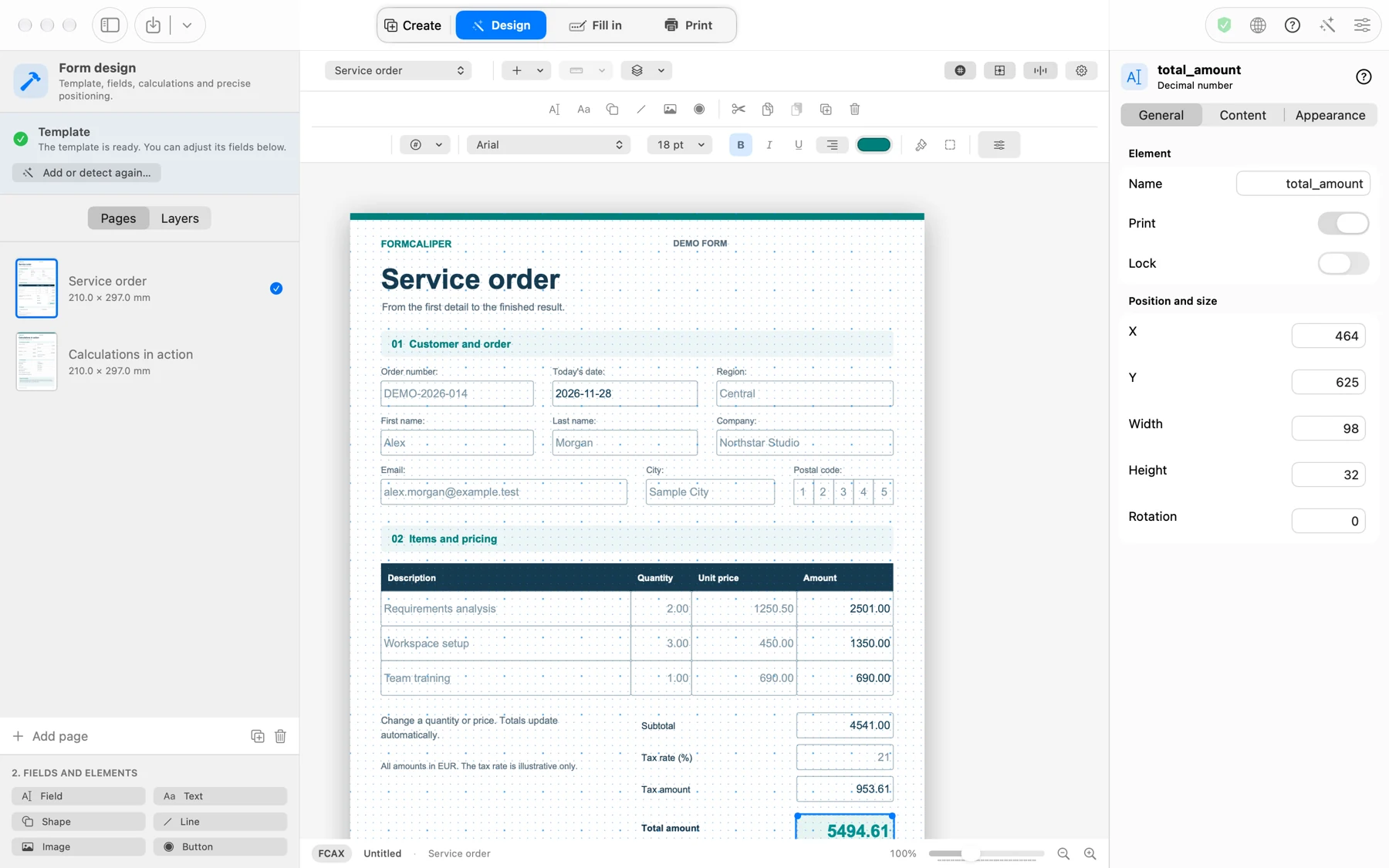
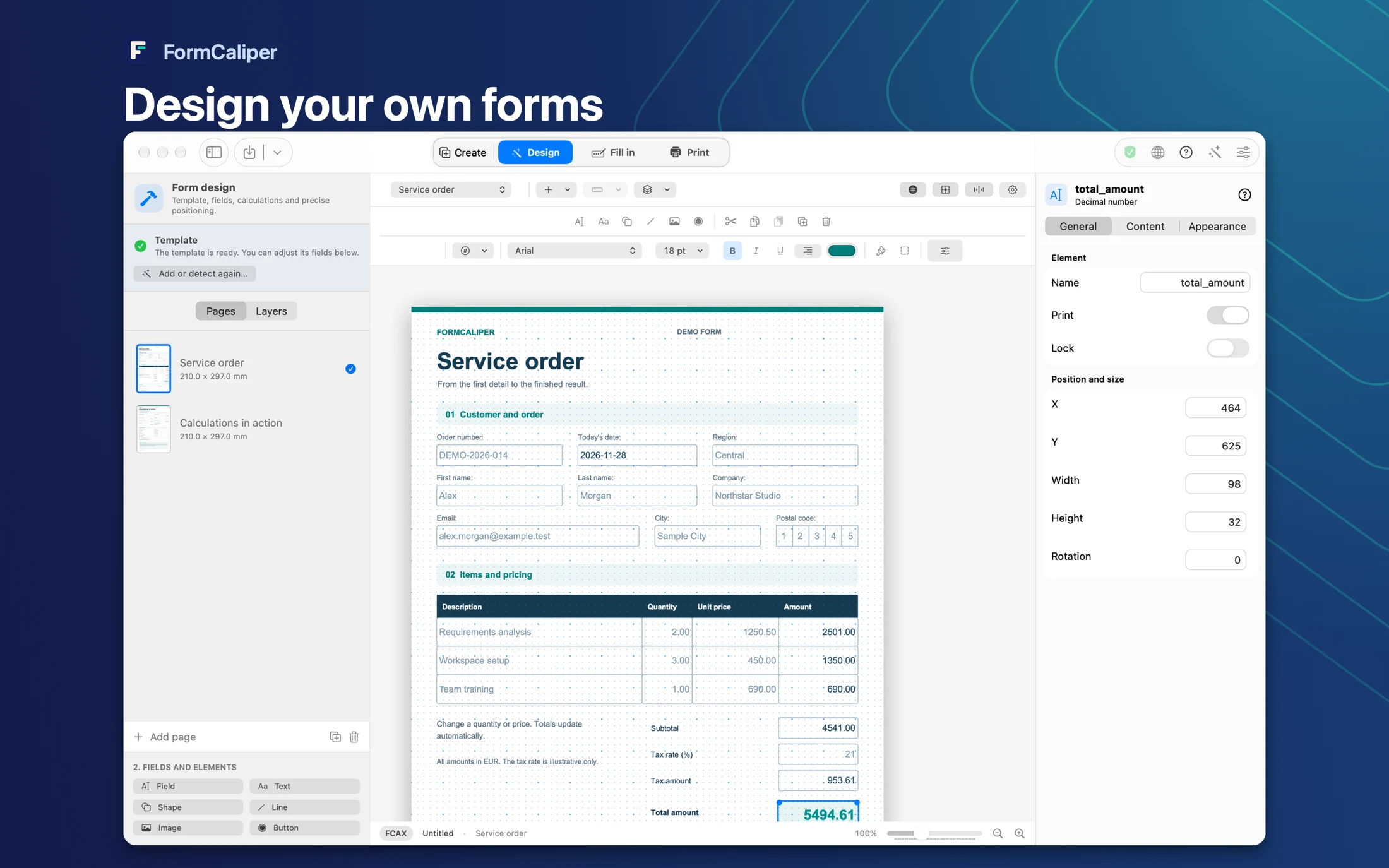
Arrange text, fields and images. Magnetic guides, alignment and linked elements keep the form precise.
DESIGN, UNDER YOUR CONTROL
From the first text field to a multi-page document. Control the appearance, dimensions and behaviour of every element.
Build a form from the elements you need. Layers help you select overlapping objects.
Use precise dimensions and align to nearby elements. Keep the layout coherent as you edit.
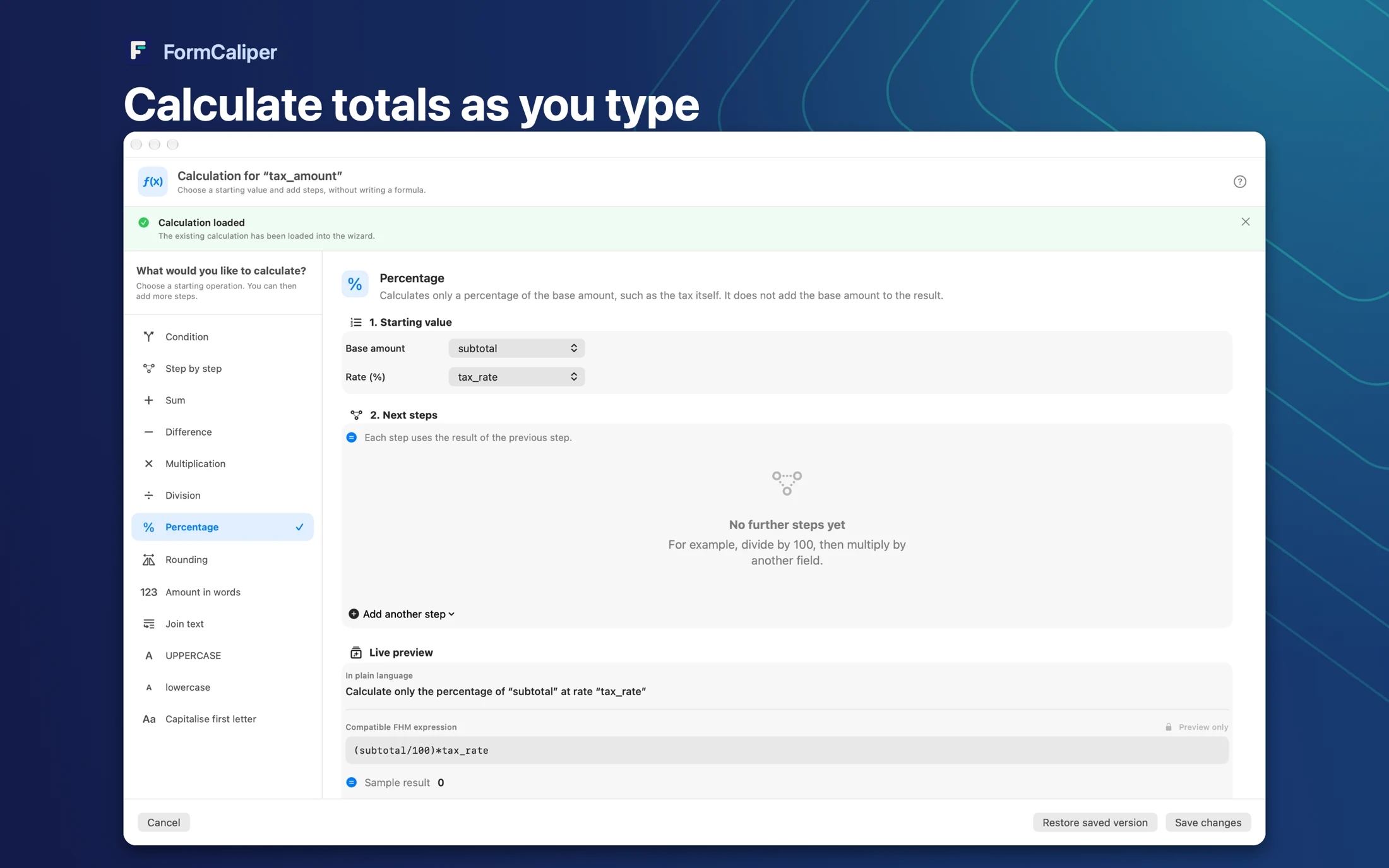
Value types, masks, copying and calculations belong to each field. Links can also work across pages.
Set the page format, add another sheet and organise objects in layers. Undo changes when needed.
FROM TEMPLATE TO WORKING FORM
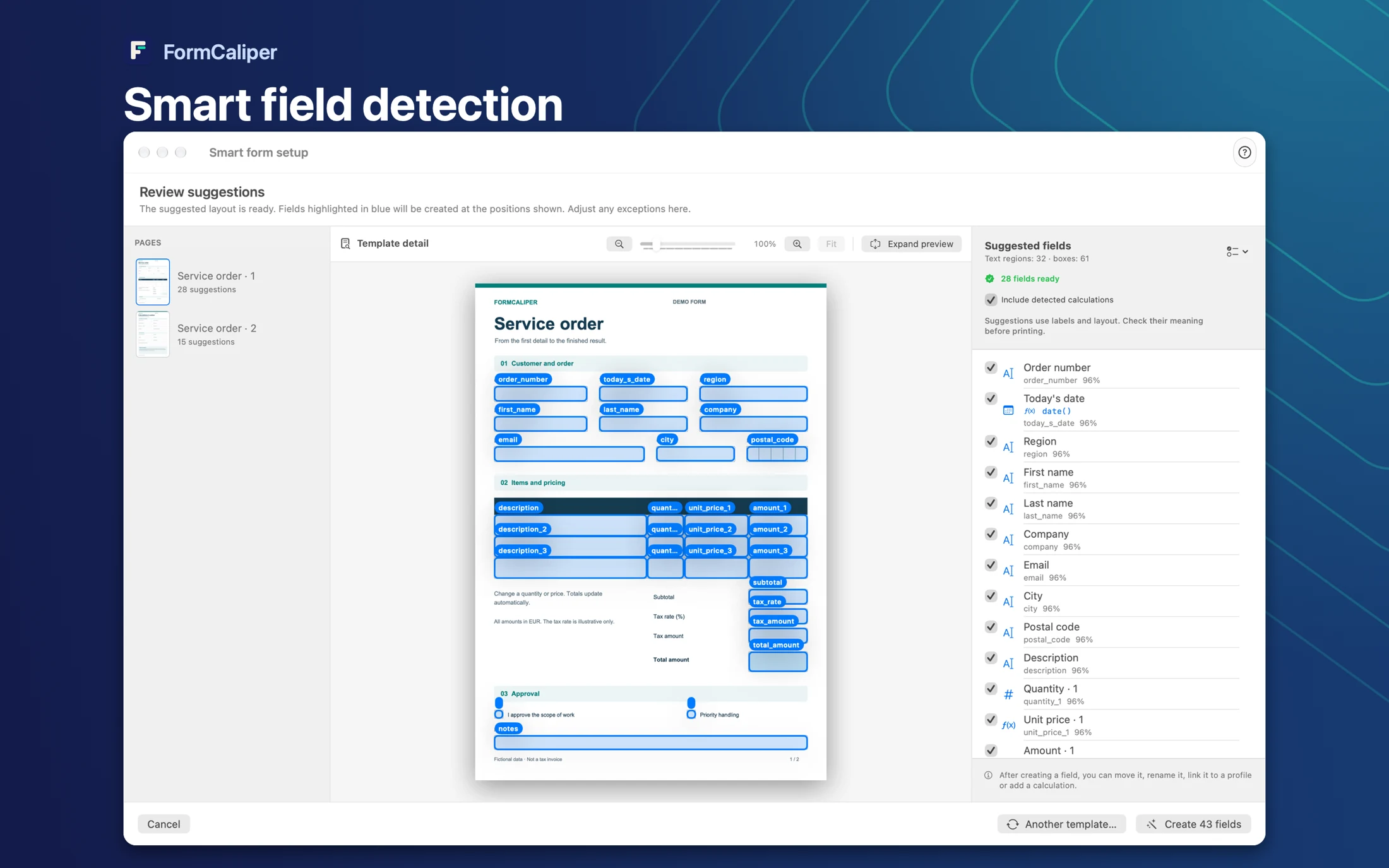
Move the divider to compare the actual PDF template with the suggested recognised fields.
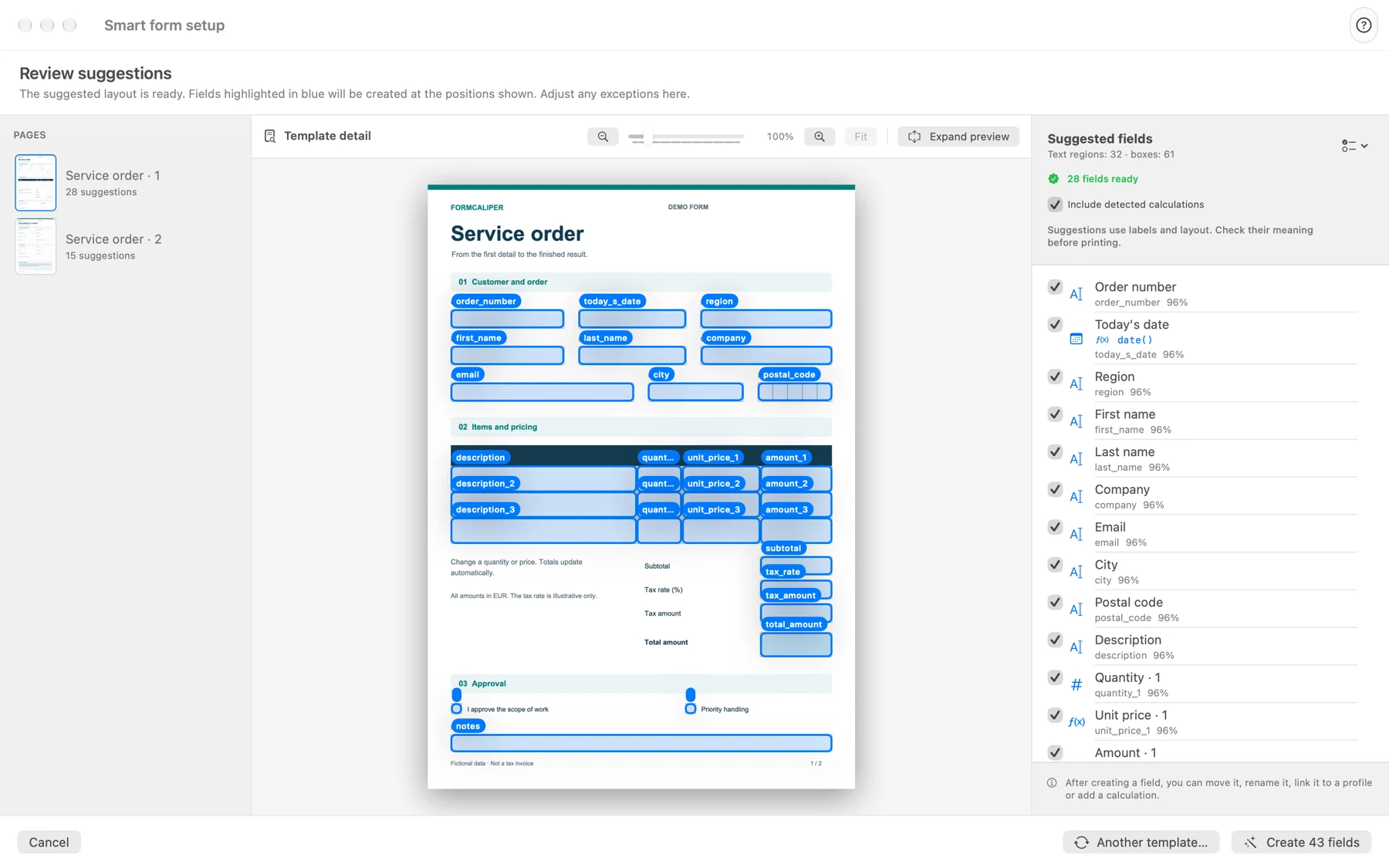
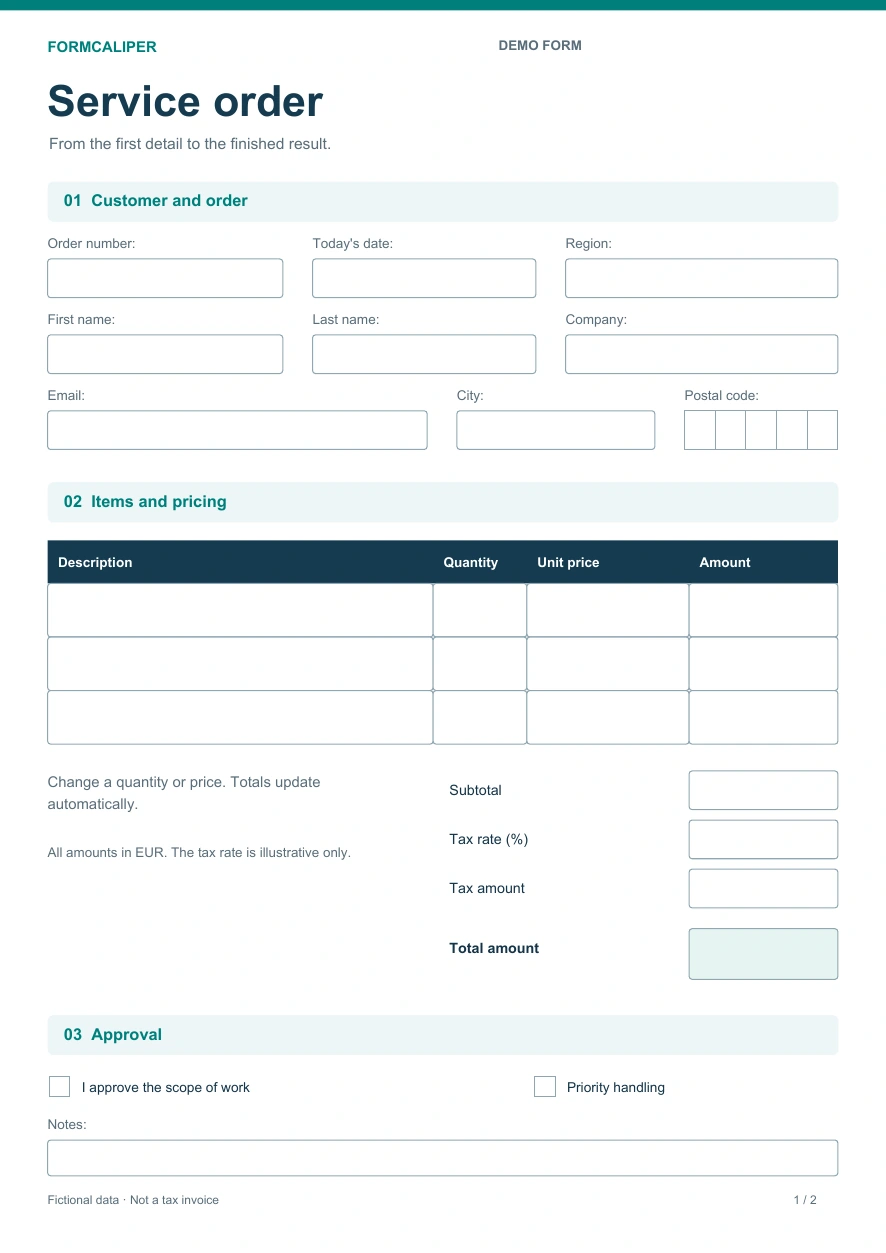
Use your own template or the current page background.
The app suggests field positions and, for unambiguous structures, calculations. Choose what to create.
Adjust names, types and positions. Continue with manual entry, calculations and printing.
This example uses a demo form with fictional data. Recognition provides suggestions: check fields, formulas and output before use.
THE DATA YOU ALREADY HAVE
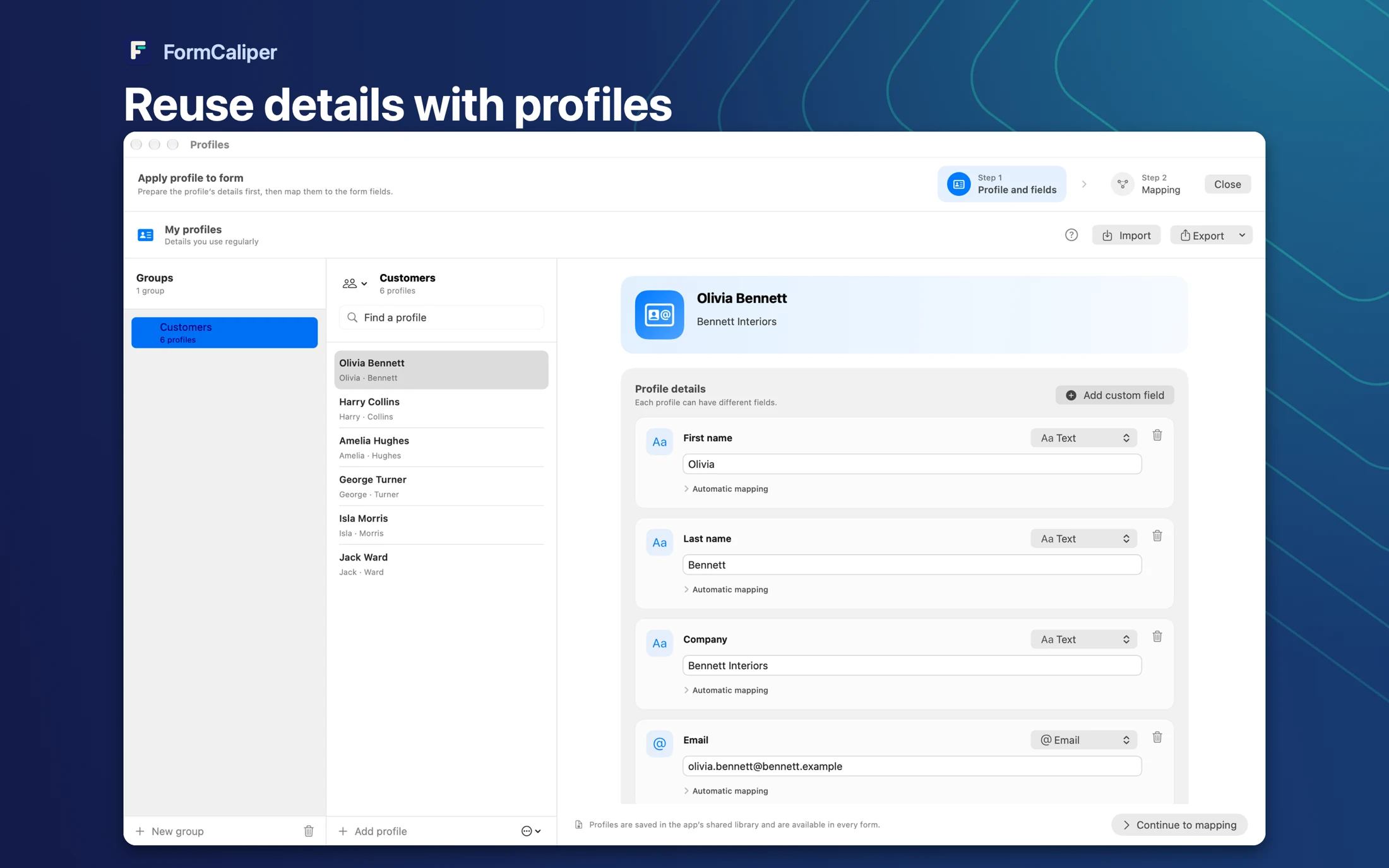
Connect a table or database to your form. Decide where each value belongs, select records and use Premium to prepare filled documents.
| Customer | Amount |
|---|---|
| €320.00 | |
| €480.00 | |
| €760.00 |
customer_nameCustomercompanyCompanyamountAmountMap source columns to specific fields. Check suggestions against sample values and leave unnecessary fields unassigned.
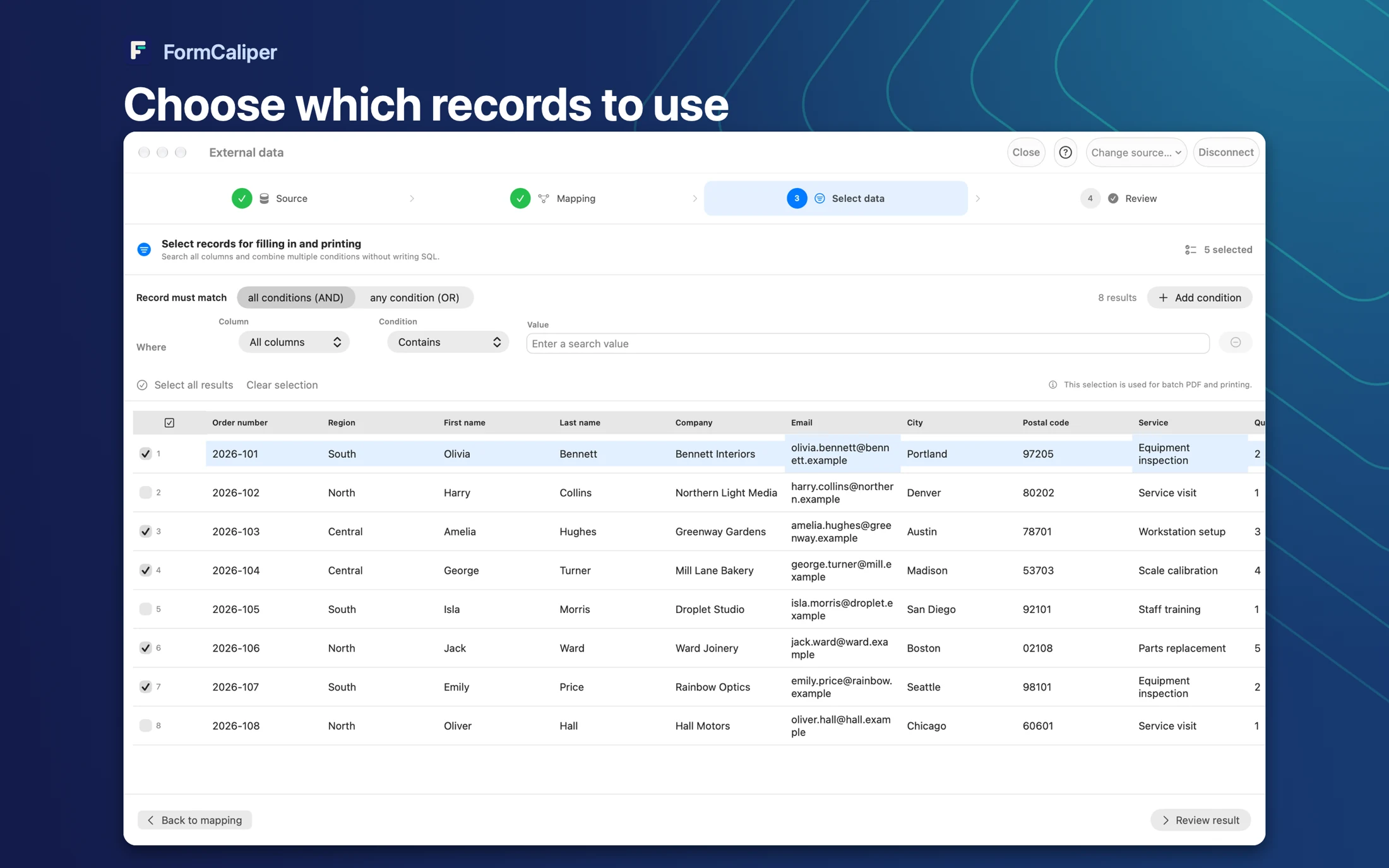
Search, combine AND/OR conditions and select the rows to include in your output.
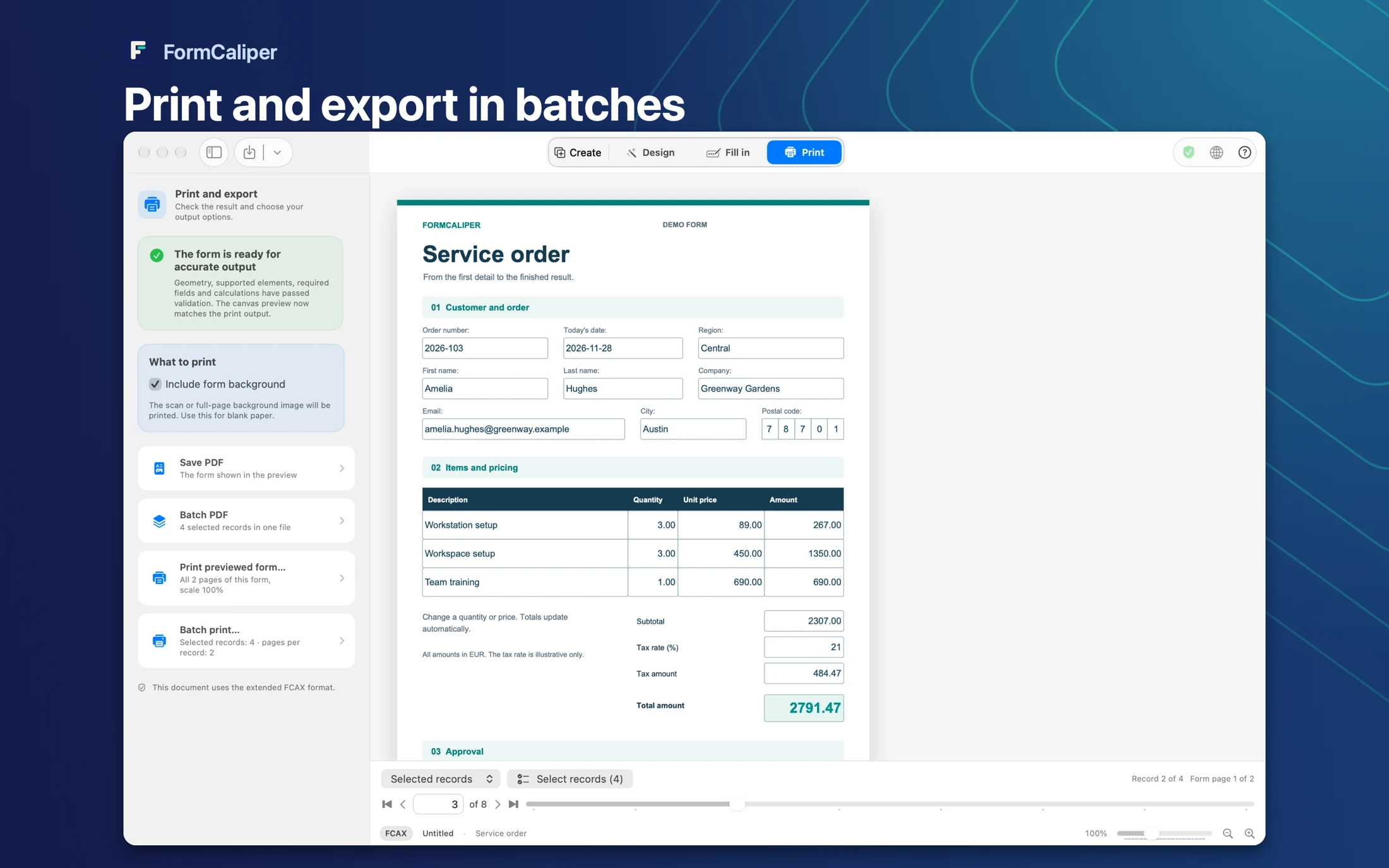
With Premium, apply a record to a form or create batch PDFs and print selected rows.
Connecting sources, preparing profiles, mapping and previews are free. Applying profile or external record values and batch output require Premium.
File sources are processed on your Mac. SQLite is opened read-only.
A CLOSER LOOK
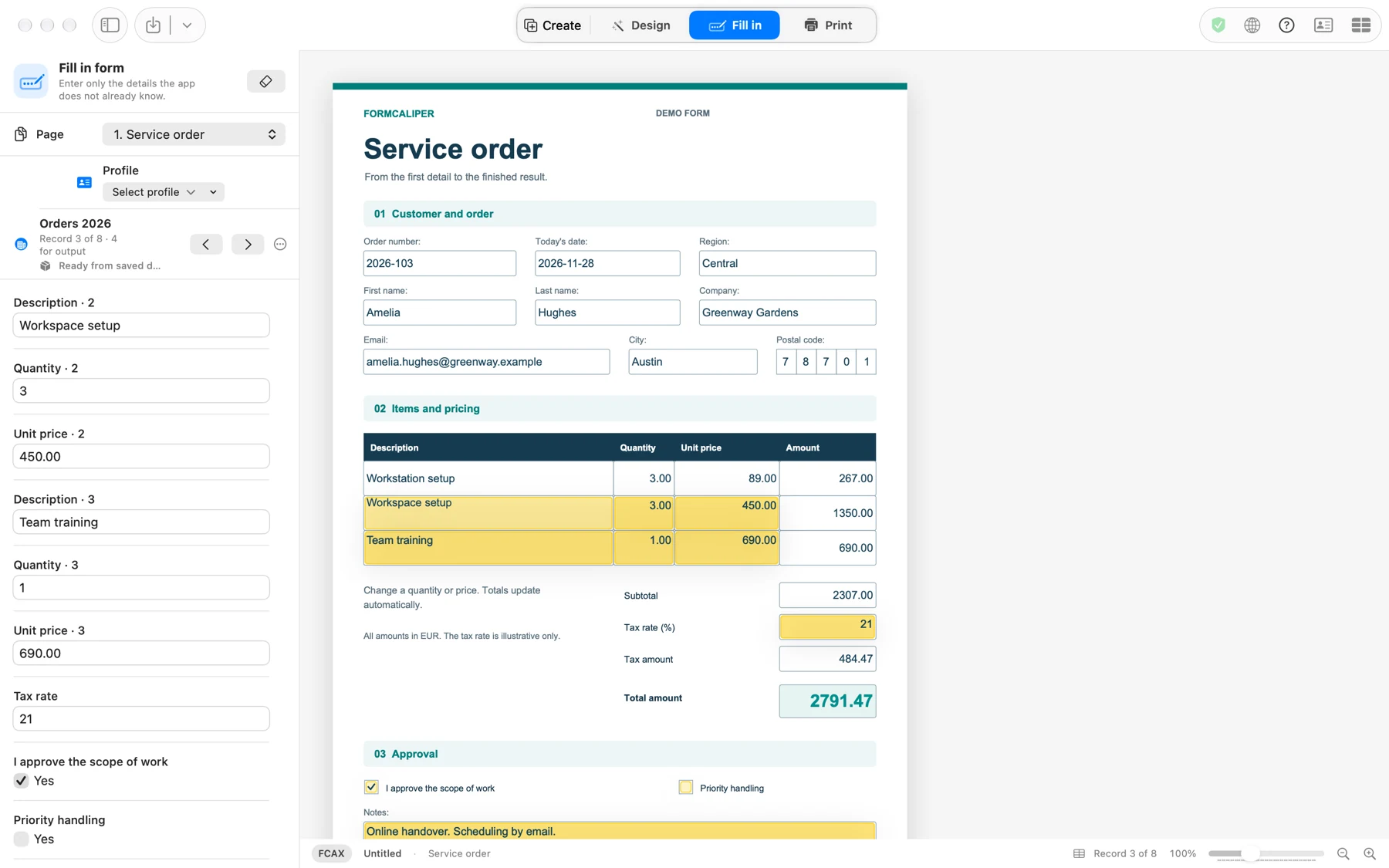
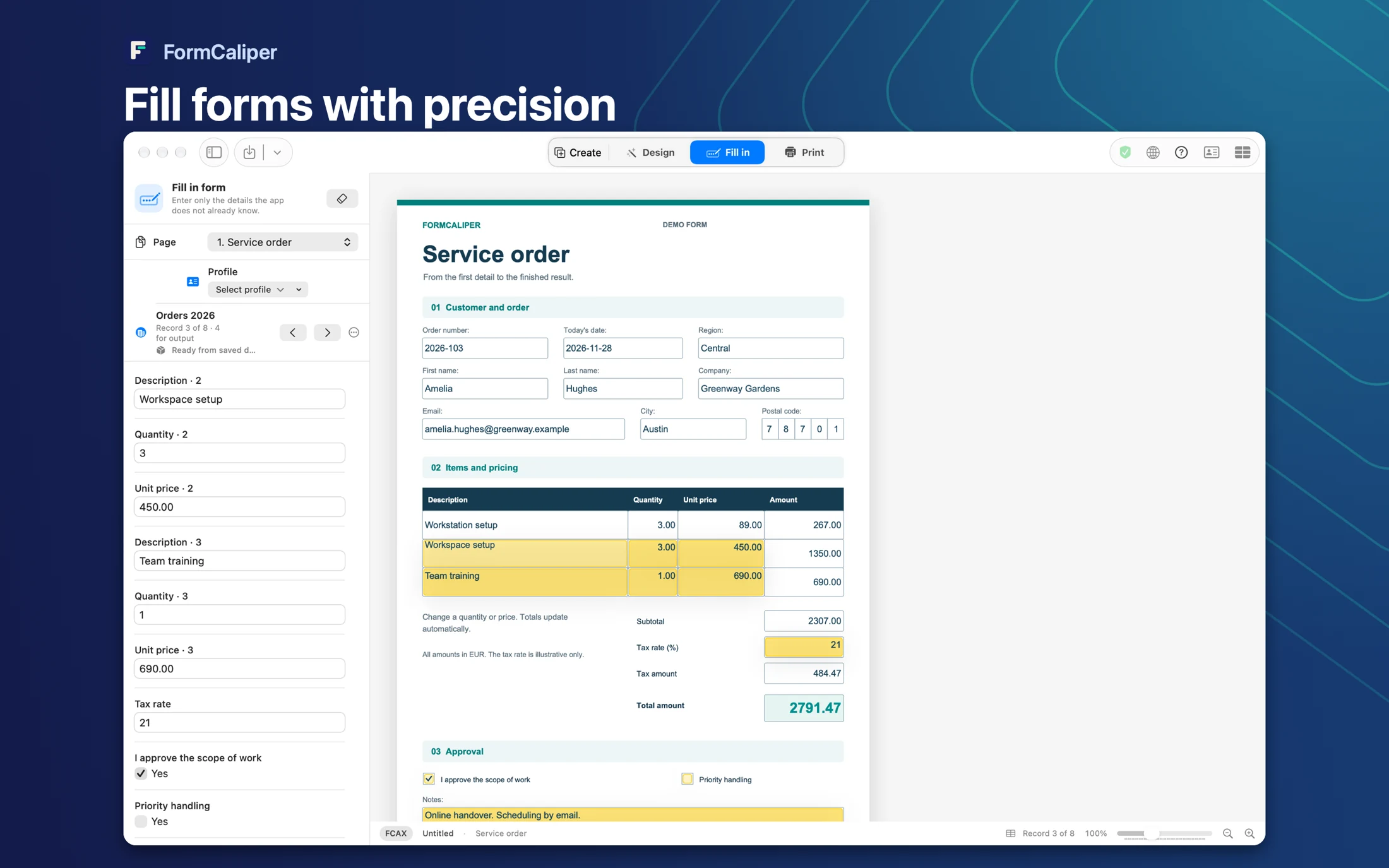
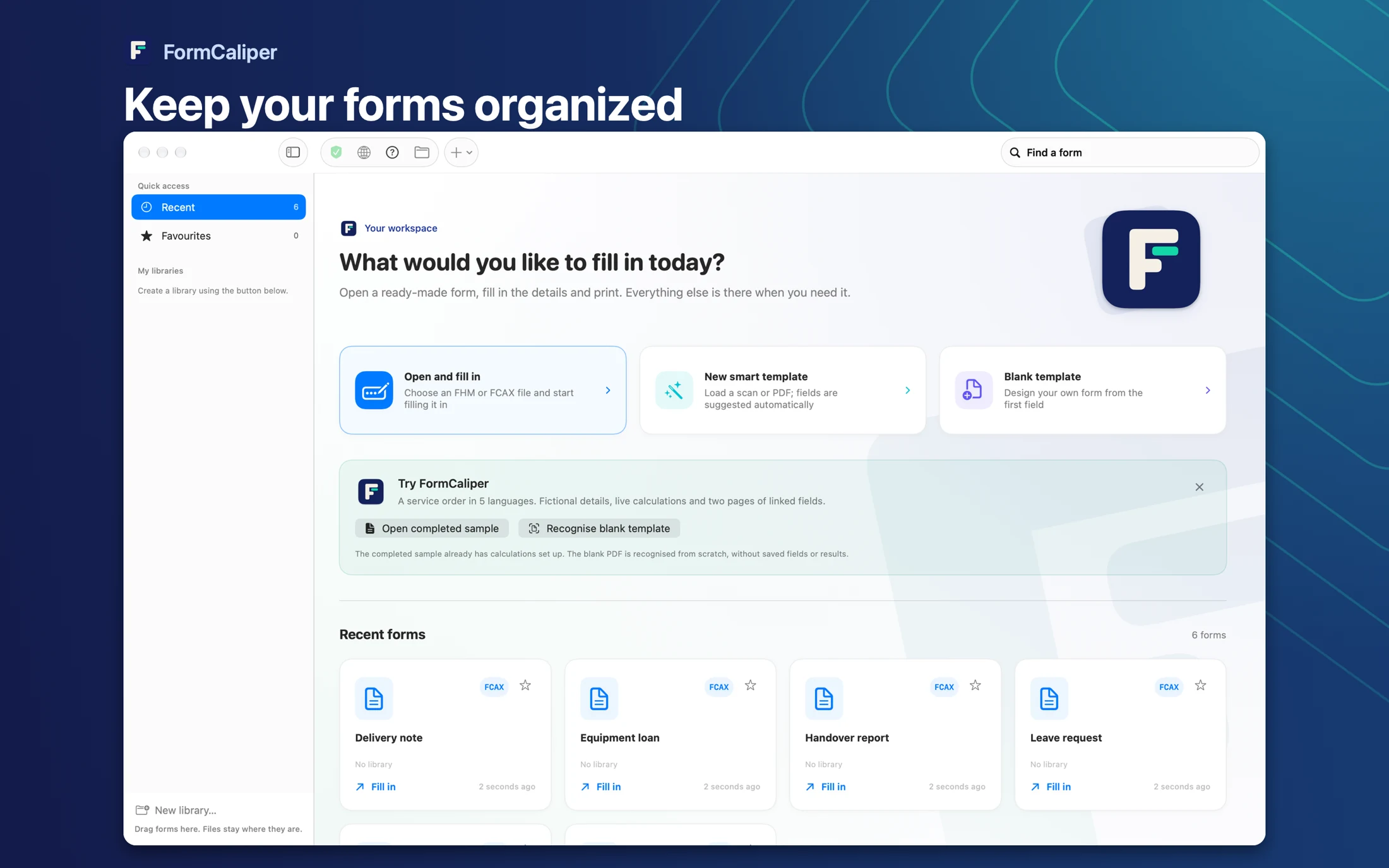
Explore form design, filling, data and printing. Select an image to see the details.
LOCAL BY DESIGN
Recognition and document processing take place on your Mac. FormCaliper does not send your scans to a cloud AI service. You choose where to save and share your files.
START WITH THE ESSENTIALS
For your everyday form work.
One-time purchase. No subscription.
Prepare profiles and preview mappings for free. Applying their values and batch output require Premium. The price is shown in the App Store before purchase.
FormCaliper is a native macOS app for Mac with macOS 14 or later. It is not an iPhone or iPad app.
Yes. Import legacy FHM files and save your work in the native FCAX format. Compatibility depends on the content of each file.
No. Recognition runs locally on your Mac. Check the suggested fields, calculations and final output before use.

FormCaliper for macOS. Designed for the details.
Preparing for the Mac App Store